Showing posts with label root. Show all posts

December 4, 2011

Custom IceCreamSandwich Emulator Build

A few times a week you can catch me scouring the Android related threads on Google Groups. I find it to be a great way to learn a few tips and tricks. Throughout the past weeks I have seen the same questions arise time after time. How do I create a custom emulator image? How do I put the Market on the emulator? Since these questions were asked so much, and I had never used the emulator before, I decided to give it a shot. As you can see in the screen shot, the end result left me with an emulator that was rooted and had all the G-Apps (including Market). 

To build this emulator you will need to sync my source and choose "pete_emulator-eng" in the lunch menu. More information on how to get my source and what changes I made to create this emulator can be found on my GitHub. I should also mention that this emulator image has the same developer apps that come with the sdk image. I decided to leave these apps because they can be useful tools for developers creating their own apps.

Since we are on the subject of emulators, check out the amazing skins by Heiko Behrens!

October 22, 2011

Now Supporting The HTC Droid Incredible

The good folks over at RootzWiki sent me an HTC Droid Incredible a while back in hopes that my ROM series would one day be seen on it. I spent the past few nights working like a mad man, needless to say GPA18 nightlies have began! As of now, the camcorder does not work but I will be working on fixing it soon.  Everything else seems to be working great. So great that I have actually put down my Nexus S for the past few days. Since I am new to this device, please help spread the word about my ROM.

Now to go enjoy my birthday with friends!

September 22, 2011

New Nightly Build Up

Last night I worked on the build a bit, getting it ready to compile Android 2.3.7 when kernel.org comes back up. There is a new build available for all the devices I support (Droid, Nexus S, Nexus S 4G). Changes include all the new 2.3.7 G-Apps, new proprietaries for Nexus S and Nexus S 4G, all the files necessary for Google Wallet, and also a few bug fixes in the framework. To download the build visit my downloads page: download.peteralfonso.com

Note:
  • Google Wallet will not work until I am able to compile Android 2.3.7
  • Build number will display GWK74 although it is still truly GRJ90
  • This is a "nightly" build, if you want a "stable" build use GPA17 

As always, to see exact changes visit my github. One more thing, if you wan't to see my ROM on the Nexus One and will sell one to me for cheap or are willing to donate one please contact me!

August 30, 2011

Download: GPA17 (Gingerbread Peter Alfonso) Android 2.3.5

As you may have seen me mention on Twitter, I have recently moved to start a new semester at UCF. That being said, you can imagine how busy my life has become. This is going to be one of my hardest semesters yet so I need to prioritize and manage my time well to succeed. Because of this, I no longer have as much time to work on ROMs and kernels as I once did over the summer. This does not mean I will be stopping development completely, it simply means it will be at a much slower rate. Please do not ask for an E.T.A. on my next release because I will not respond.

I had a lot more plans for GPA17 but because of the reasons mentioned above, I am having to release a bit early. I assure you that you will still find this build to be everything you have come to love in the GPA series.

For those not familiar with this ROM series, some of it's features include:

  • 180 degree rotation
  • Overclockable kernel
  • CPU toolkit (can be removed by deleting "Toolkit.apk")
  • FLAC audio support
  • Ad-hoc network support
  • Facebook sync
  • Reboot option
  • "Copy All" text option
  • Low battery sound toggle
  • Modified widget picker
  • Headset/headphone icon in statusbar
  • Latest Google apps
  • Busybox
  • Bug fixes/code improvement from CyanogenMod

I would also like to announce with the release of GPA17 that my ROM is now fully open source. For those interested in compiling my ROM please visit the following link for instructions on how to begin: https://github.com/peteralfonso/platform_manifest 

If you have fully read this entire post and have made it here, I'd like to thank you with the download links!

GPA17:

*Note: Wipe data/cache (factory reset) if this is the first time installing a ROM from this series*

When I do find some time for Android, I will be working on a changelog and I will post it here when it is complete.

August 6, 2011

Now Supporting Nexus S 4G


I am pleased to announce that I am now supporting the Nexus S 4G as well as the Droid. This ROM will be released alongside my Droid build titled "GPA17". Until then you can find it in "nightly" form in the following directory: http://wonderly.com/bb/CRESPO4G/ROM/BETA/ (choose the latest file)

Some features include but are not limited to:
  • 180 degree rotation
  • Overclockable to 1.4GHz
    • Voodoo support
    • Updated wifi driver
  • CPU Toolkit
  • FLAC audio support
  • Native 3G tethering
  • Ad-hoc network support
  • Facebook sync
  • Reboot option
  • Modified widget picker

There are also many performance tweaks and bug fixes which you can find change by change on my github. For those of you who run CyanogenMod, now that I support this device I have began submitting patches to help out. In the future I plan on supporting the other Nexus S variants (T-Mobile & AT&T) as well.

Recommendations:
Upon initial install of this ROM, please wipe data and cache. When a new build becomes available, you will only need to wipe dalvik cache. For the best experience, stick with the kernel provided in my build, I assure you it performs very well. If you are interested in saving tons of battery life, downclock to 800MHz in the CPU Toolkit, you will see little to no difference in performance.

Sorry this post does not read well, I am sick at the moment and not in the proper mindset to write.


August 2, 2011

Download: Tethering Fix For Nexus S 4G


Sprint shouldn't have blocked tethering, enough said. This patch will restore the 3G tethering ability you had in Android 2.3.4 on your Nexus S 4G. Download and flash in clockworkmod recovery manually or automatically via ROM Manager.

Update: I have submitted this patch to CyanogenMod so tethering will work in these builds too.

August 1, 2011

GPA17 Beta Testing Now Live


As you may have heard the other day on Droid-Life, my latest nightlies for GPA17 are up for testing! These will update your Droid to Android 2.3.5 and update the kernel to 2.6.32.43. Changes from Android 2.3.4 to Android 2.3.5 are mostly bug fixes, if interested you can see these on my github.

As for the kernel, well I have had it in my mind to try to update it for a while but always thought it would fail miserably. I was pretty stressed out today after class so I needed something to work on to get my mind off things. A few hours later I am presenting you with the most advanced Droid kernel to date in my GPA17 nightly build. I say the most advance because this kernel is newer than any other by 34 subversions! Once I release my V0.4 kernels, flashing anything else will simply be a downgrade.

EDIT: After fixing an sdcard bug another bug appeared, this time causing random reboots upon selecting airplane mode. I am reverting to the old kernel until I have more time to look into fixing this issue.

If you do not already have the link to my beta folder bookmarked, here it is again:

http://wonderly.com/bb/DROID/ROM/BETA/

UPDATE: I am now supporting 3 devices!
Droid: http://wonderly.com/bb/DROID/ROM/GINGERBREAD/
Nexus S: http://wonderly.com/bb/CRESPO/ROM/GINGERBREAD/
Nexus S 4G: http://wonderly.com/bb/CRESPO4G/ROM/GINGERBREAD/

For those who enjoy what I do and would like to help buy me text books for the fall semester checkout the donate link on the sidebar of the site  :)

July 13, 2011

Download: Gingerbread (Android 2.3.4) ROM Update GPA16

Exactly one month ago I released GPA15. This month, GPA16 will update your Droid to Android 2.3.4 as well as add Ad-hoc network and FLAC audio support. Other changes include bug fixes/code improvement, such as the data loss fix by CVPCS and a new kernel by me. To make things a bit easier, I have added all of the latest Google applications including Market and Google Chat with video.

For those of you who do not know, my GPA builds are a series of ROMs built to replicate what would have been an "official" update from Motorola. To the end user this simply means that this ROM will appear completely stock. What most do not realize is I have many tweaks and improvements "under the hood", making this ROM extremely fast yet completely stable. I have also added small features such as a reboot option and 180 degree rotation. Word on the streets is that there is a hidden feature available and only Droid-Life has the file to unlock it...

Changelog coming soon, school/work has me quite busy.


GPA16 (81.4MB)
Download | Statistics

July 9, 2011

Download: Updated Motorola Boot Logo For Droid


If we are going to run Gingerbread on our OG Droids then we might as well have the latest Motorola logo right? Exactly why I thought I should spend some time making this. Sorry for the blurry photo, the resolution of the logo on the device is perfect.

Download: redmotologo.sbf (flash with RSDLite)


Want to learn more? Check out Shibbey's tool.


June 29, 2011

Download: Droid Kernels V0.3

It's been two full months since my last kernel set, I'd say we are overdue for an update! A lot of work went into these and I am extremely happy with the results, hopefully you will be too...

Features:
  • Low (LV), standard (SV), and increased (IV) voltages
  • Interactive governor ported from .38 kernel
  • Newest compcache module: zram.ko
  • USB switches from .35 kernel
  • Increased sdcard throughput (faster read/write speeds)
  • Bug fixes from upstream/newer kernels
  • Built in OMAP temperature sensor
  • All of the official governors
  • Lightweight, stripped of unneeded features
  • Added most popular, requested modules and features 
  • 5 CPU slots rather than 7 (better performance)

Download:
  • 600MHz   | LV | SV | IV | 125/250/500/550/600
  • 700MHz   | LV | SV | IV | 250/500/550/600/700
  • 800MHz   | LV | SV | IV | 250/550/600/700/800
  • 900MHz   | LV | SV | IV | 250/550/700/800/900
  • 1000MHz | LV | SV | IV | 250/550/800/900/1000
  • 1100MHz | LV | SV | IV | 250/550/800/1000/1100
  • 1200MHz | LV | SV | IV | 250/550/800/1000/1200
  • 1250MHz | LV | SV | IV | 250/550/800/1000/1250
  • 1300MHz | LV | SV | IV | 250/550/900/1100/1300

Note:
  • Increased voltage is not available for 600, 700, and 800 MHz due to the fact that you do not need higher than standard voltage for these speeds.
  • If your Droid seems sluggish you may need to use a higher voltage kernel.
  • These work on Froyo and Gingerbread as well as ALL ROMs

May 13, 2011

Download: Stock Rooted Gingerbread (Android 2.3.3) ROM Update GPA15

Seems like its been forever since my last release, sorry for the delay. Been pretty busy the past few weeks, finished the Spring semester at UCF, moved back home, and got a job. I'm actually quite tired and no words of wisdom are coming to me to share with you all so I will make this short. Basically GPA15 is the shit, check the changelog for details!

GPA15 (60.1MB)
Download | Statistics

GPA16 will be Android 2.3.4 if you were wondering.

Note: If you have no sound when making a call, you need to reboot once. Also note, if you wish to overclock you need to install the "AutoOverclock.zip" from my kernel post.

April 26, 2011

Download: Droid Kernels V0.2

It's been a while since my last set, so I am happy to present to you the most advanced kernels for Droid to date. This set is built from the latest source, I did not build upon someone else's, I started from scratch. Changes from my last version include updating the Interactive governor to the version found in the .38 kernels. No other kernels out have this governor yet, it has two tuneables rather than just one. I also updated the compcache module to the new zram.ko, meaning these kernels will be fully compatible with CyanogenMod and others. Thanks to cvpcs, the new .35 kernel USB switches have also been added, fixing USB tethering in Gingerbread. SDCard throughput has also been increased, for faster read/write speeds.

I did not include the "new" governors that are floating around (SmartAss, SmartMod, BumbleBee, etc). All of these are hacked versions of the old Interactive governor (not the new .38 kernel one), meaning they are outdated. All of these governors are modifications of eachother. I will not be adding any of these governors so do not ask. I assure you, using the Interactive governor built into my kernels will yield better results anyways. Here is a quote straight from the .38 kernel source, "Use the CPUFreq governor 'interactive' as default. This allows you to get a full dynamic cpu frequency capable system by simply loading your cpufreq low-level hardware driver, using the 'interactive' governor for latency-sensitive workloads." This would explain why manufacturers have chosen it to be the default governor on most of the new devices, including the Motorola Xoom.

I also kept the default compression method of the kernel. After conducting a bit of research, LZMA compression and others seen in some kernels take longer to decompress. To put this in other words, the phone will take longer to boot by not using the default compression method.

Features:
  • Available in low, standard, or increased voltages
  • Interactive governor ported from .38 kernel
  • New compcache module: zram.ko
  • USB switches from .35 kernel
  • Increased sdcard throughput
  • Bug fixes from newer kernels
  • Built in OMAP temperature sensor
  • All of the official governors
  • Lightweight, stripped of unneeded features
  • Added most popular, requested modules and features

    Downloads:

    Increased voltage (IV)
    Low voltage (LV)
    Standard voltage (SV)

    Note: You will need to use an app or script to have these kernels overclock themselves. If not they will default to whatever the ROM developer has in the ramdisk (most likely 600MHz). To overclock any GPA build, flash AutoOverClock.zip

    Update: I just wanted to give you guys/gals more info about the Interactive governor. I have seen some users on a variety of ROMs saying that the phone takes a while to wake up after pressing the battery button. It all depends on the governor and settings the ROM dev has made in the ramdisk or elsewhere (init.d). You can make a fast kernel, and have the ramdisk or other files slow it to a crawl. On my GPA builds, using the interactive governor there is no wake up delay. That being said, on other ROMs I would suggest switching to, if not already using, the interactive governor. From there if you still see a wake up delay lower this tuneable:

    /sys/devices/system/cpu/cpufreq/interactive/go_maxspeed_load

    The default is 85, a good number for battery saving, but not for performance. For example, you may lower this number to 80 so the governor will ramp up to max speed (highest slot) faster. You may also want to note that the Motorola Xoom uses the value of 80 by default, maybe you will be happy with this value as well.

    Just FYI there is yet another tuneable in this governor:

    /sys/devices/system/cpu/cpufreq/interactive/min_sample_time

    This tuneable represents the minimum amount of time to spend at the current frequency before ramping down. This is to ensure that the governor has seen enough historic CPU load data to determine the appropriate workload. Default is 80000 uS.

    Unfortunately, SetCPU and possibly other applications have yet to put these tuneables to use via a GUI. So one must have a script or command change them. As you can see, this governor will allow you to save battery or crank out the performance so adjust it to your liking.

      April 14, 2011

      GPA15 Progress & Beta Testing

      I know by now the fiends are itching for a new release, I just want to assure you your fix is coming soon. GPA15 squashes many bugs and is available for "preview" for those having withdrawals. These preview builds are known as "nightlies". As you can see I try to upload one every night, but at times I get too busy:

      http://wonderly.com/bb/DROID/ROM/BETA/

      Before downloading and installing, you need to understand that these are not "stable" builds, meaning it is likely that things may not work as expected. On the contrary, you may find it to run better than anything you have ever used. For those wanting to test and report issues, I ask the following:

      1) Be very familiar with the rooting, custom recoveries, flashing roms, etc
      2) Wipe data and cache (more than once) before installing the beta build
      3) Not restore data (start fresh, download each app individually)
      4) Use only the default kernel provided in the beta build
      5) Not modify the beta build in any way (removing apps, themeing, etc)
      6) Run only the latest baseband available (C_01.43.01P)
      7) Run only the latest nightly build available
      8) Fully read release notes/changelog before flashing beta build

      Feedback and questions are to be posted on DroidForums in this thread:

      http://www.droidforums.net/forum/bugless/134556-rom-beta-stock-gingerbread-android-2-3-3-build-gpa15.html

      As far as the stable release of GPA15, if no new issues appear in the nightly builds all I have left to do is update my kernels to V0.2. To keep an eye on the list of changes, check out the changelog.

      March 21, 2011

      Download: Stock Rooted Gingerbread (Android 2.3.3) ROM Update GPA14

      It's about that time again isn't it? Perhaps the most important aspects of this updated build are the FRG83G proprietaries and the adjustments made to the way Gingerbread manages RAM. As mentioned in a previous post, "Unfortunately not every file on the Droid can be built from source. Because of this, "proprietary" files are used."  

      Gingerbread was never intended to run on devices with less then 256MB of RAM, such as the Droid. This is made evident by the way applications will randomly close or stop syncing, they are being "kicked out" of memory. For example, on previous Gingerbread builds (not only including mine), if a user had music playing in the background and later opened a few more apps, the music would stop playing. Issues such as these are now resolved due to the adjustments I have made. Now user can multitask as much as they would expect an Android device to be able to. As an added bonus, you can expect to see alot less homescreen redraws.

      One of my favorite things about Nexus devices is that they always receive the latest updates, including apps. More often then not, when an app is updated on this device, it is not available in the Market yet. This gives rooted users an opportunity to run the latest versions before others even get news of it. In GPA14 you will find the latest Street View and Google Search apps not available in the Market yet. When you download all of the Google apps from the Market, be sure to not download Street View and Google Search because you will overwrite the new version with the "old" Market version.

      Other changes including updates and bug fixes are included in this release so be sure to check out the changelog for full details.

      GPA14 (71.7MB)
      Download | Statistics
      Mirror | Statistics

      File hosting provided by @dwonderly & @b16a2smith

      Further installation details after the jump...

      March 16, 2011

      Download: FRG83G Motorola Droid 1 Update

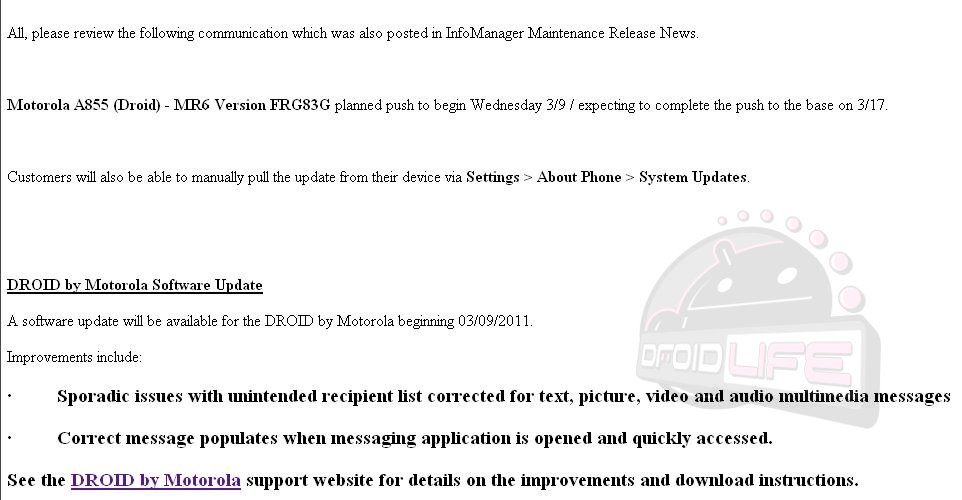
      The Droid community heard news of this update all the way back in January. "A limited number of owners will receive the update as part of a pre-launch 'soak' test before it’s more widely released. This has become standard practice, so we can observe for a few days to make sure there are no hidden problems before wide release", Matt stated, manager of the Motorola Owners Forum. As you may have seen, MyDroidWorld leaked this "test" update before it was officially released OTA (over the air) giving us a glimpse of what it may bring. For those who flashed the leaked "test" update or were included in the pre-launch OTA, you will still be notified to receive the official "release" FRG83G now that all bugs have been worked out. The official "release" OTA started on March 9th and will update your Droid to Android 2.2.2. As noted by Verizon Wireless Droid support .pdf, this update will fix some mms/sms issues users were reporting.

      So why care about this update when you have GPA ROMs to enjoy?  Unfortunately not every file on the Droid can be built from source. Because of this, "proprietary" files are used. These files are pulled directly from your device so it is very important to have the latest ones available, in this case FRG83G. Although the release notes for this update state that only mms/sms issues were addressed, the official OTA .zip shows much more being patched. Rather than contemplating for hours about what has or has not been changed from one release to another, I would much rather just be certain and include the latest proprietaries in my ROMs. That being said, expect them in GPA14.

      "Pete you're slacking, you should have had these FRG83G ROMs in your downloads section the night of March 9th." I know, I know...For some reason this update has been very hard to get. I sure do miss the days when people were eager to post the Droid 1 OTA files or download urls taken from logcats. I put my development Droid back to stock using RSDLite and an sbf file but I still could not get it to receive the update. Usually, and even stated in official documents, you can "force" the update by going to Settings > About phone > System updates, but this did not work. Fortunately, Twitter followers Jonassink and DizkoDan wanted to help. After spending some time on Gtalk with each, I was able to guide them through the process required to get the system and OTA files dumped. I then took these files and created stock rooted ROMs out of them, one odexed and the other deodexed.

      Before posting the download links for this update, I'd like to end on a lighter note. Check out the graphic of the Droid 1 in the update support .pdf. What a major FAIL! For starters the Droid 1 has never ran Donut (Android 1.6) as shown on the screen. Also note the "Advanced Task Killer" application in the top left. Pretty funny stuff. I can count the hours of Photoshop experience I have on one hand and I know I could have made a better graphic!

      Download:
      FRG83G Deodexed
      FRG83G Odexed
      FRG83G OTA file

      Edit: For those wanting to stop OTA notifications you will need to edit your build.prop file with the following...

      ro.build.description=voles-user 2.2.2 FRG83G 91102 release-keys
      ro.build.fingerprint=verizon/voles/sholes/sholes:2.2.2/FRG83G/91102:user/release-keys

      February 25, 2011

      How To: Unlock & Root Motorola Xoom Tablet

      My faith in Motorola has been reinstated! Once again they provide us with a "Google experience device" that can be easily unlocked for developers to work on. Koush, the legend of custom recoveries (ClockworkMod) and apps such as ROM Manager has compiled a boot.img for the Xoom that runs as "root" allowing us to push the su binary to our device and chmod it properly. To root your Xoom, follow the steps below:

      1. Download xoomroot.zip and unzip it
      2. Place the files in your SDK tools folder
      3. adb reboot bootloader
      4. fastboot oem unlock (be sure fastboot binary is in your path)
      5. Accept the legal notice then wait for reboot (this will wipe your data)
      6. adb reboot bootloader
      7. fastboot flash boot rootboot.img
      8. fastboot reboot (wait for reboot)
      9. adb remount
      10. adb push su /system/bin
      11. adb shell ln –s /system/bin/su /system/xbin/su
      12. adb shell chmod 4755 /system/bin/su
      13. Download Superuser app from Market
      Thats it, your device is now rooted!

      Note: If you do not understand parts of this guide or feel that you need further instructions, it is safe to assume you should not try this.

      Screen shot after the jump...